November 10, 2026
Smartlead vs Instantly: Which Fits Your Outbound in 2026
The most repeated advice about smartlead vs instantly is simple. Run a 1,000-lead test, compare the open rates, crown a winner. I'd ignore that. Open rate is the least trustworthy number in cold email. It's a tracking pixel's opinion, it swings with list quality, and it's the metric most easily flattered by a large warmup pool.
The second most repeated piece of advice is that Smartlead is the deliverability pick and Instantly is the easy one. That framing survives because it's hard to disprove and easy to repeat. It also buries the decision that actually moves revenue: what a qualified meeting costs once the subscription, the add-ons, the lead data and the human hours of triage are all on the bill.
Here's the shape of it. Both platforms send email competently. Neither wins every row. The main gap is operating architecture, meaning one consolidated workspace versus several separated client accounts, plus the charges that sit outside the invoice. Choose by team shape and fully loaded cost per booked call, and you'll be right far more often than the people arguing about warmup pools.
Table of Contents
- Smartlead vs Instantly at a Glance
- Automation, Inboxes and Client Control
- Pricing and the Real Cost per Qualified Meeting
- Integrations, Onboarding and Support
- Which Tool Fits Your Team Type
- Deliverability Tests and the Pilot That Decides
- How to Migrate Campaigns Without Losing Warmup
Smartlead vs Instantly at a Glance
Instantly is the better fit for one consolidated workspace. Smartlead is the better fit for an agency separating several client accounts. That's the verdict in a sentence, and it holds all the way down the table. No tool sweeps every row.
The figures below come from 2026 side-by-side reviews, including Nerdy Joe's Smartlead vs Instantly comparison, which traces both companies' histories and their G2 standing.
| Feature | Smartlead | Instantly |
|---|---|---|
| Founded | Around 2022, grew from SmartWriter | 2021 |
| G2 rating (October 2026) | About 4.5 out of 5 | About 4.8 out of 5 |
| G2 review count | About 400 to 450 | More than 4,100 |
| Starting price | From about $39 per month | From about $47 per month |
| Inbox | Shared Master Inbox across clients | Unified Unibox |
| Mailboxes | Automatic rotation across campaign mailboxes | Unlimited on paid plans |
| Built-in CRM | CRM integrations plus API on higher-tier plans | Included, plan-dependent |
| Lead database | No bundled database reported | Integrated, over 450 million records |
| Client workspaces and white-label | Client-level workspaces and white-label | Workspace separation, white-label needs extra setup |
| API access | Higher-tier plans | Available on paid plans, thinner endpoint surface reported |
Start with the founding dates, because they explain the products. Instantly arrived in 2021 as a self-contained place to run campaigns, warm mailboxes and pull lead data. Smartlead came a year later, growing out of the earlier SmartWriter product, which is why its reputation sits closer to infrastructure depth, mailbox management and agency operations.
The reputation gap looks larger than it is. As of October 2026 the same comparison lists Instantly at roughly 4.8 out of 5 from more than 4,100 G2 reviews, against Smartlead at about 4.5 from roughly 400 to 450, a review base nine to ten times smaller. That tells you about adoption breadth, not inbox placement, not booked meetings, not revenue. A tool can be loved by thousands of users and still route your mail to spam if your domains are cold.
Where each one leads is plain in the rows. Smartlead's Master Inbox spans campaigns and clients, with automatic rotation across campaign mailboxes and per-client workspaces. Instantly answers with a unified Unibox, unlimited mailboxes on paid plans, a built-in CRM and an integrated lead database. Circle the two or three rows that match how you work, then read the sections that test them.
Automation, Inboxes and Client Control
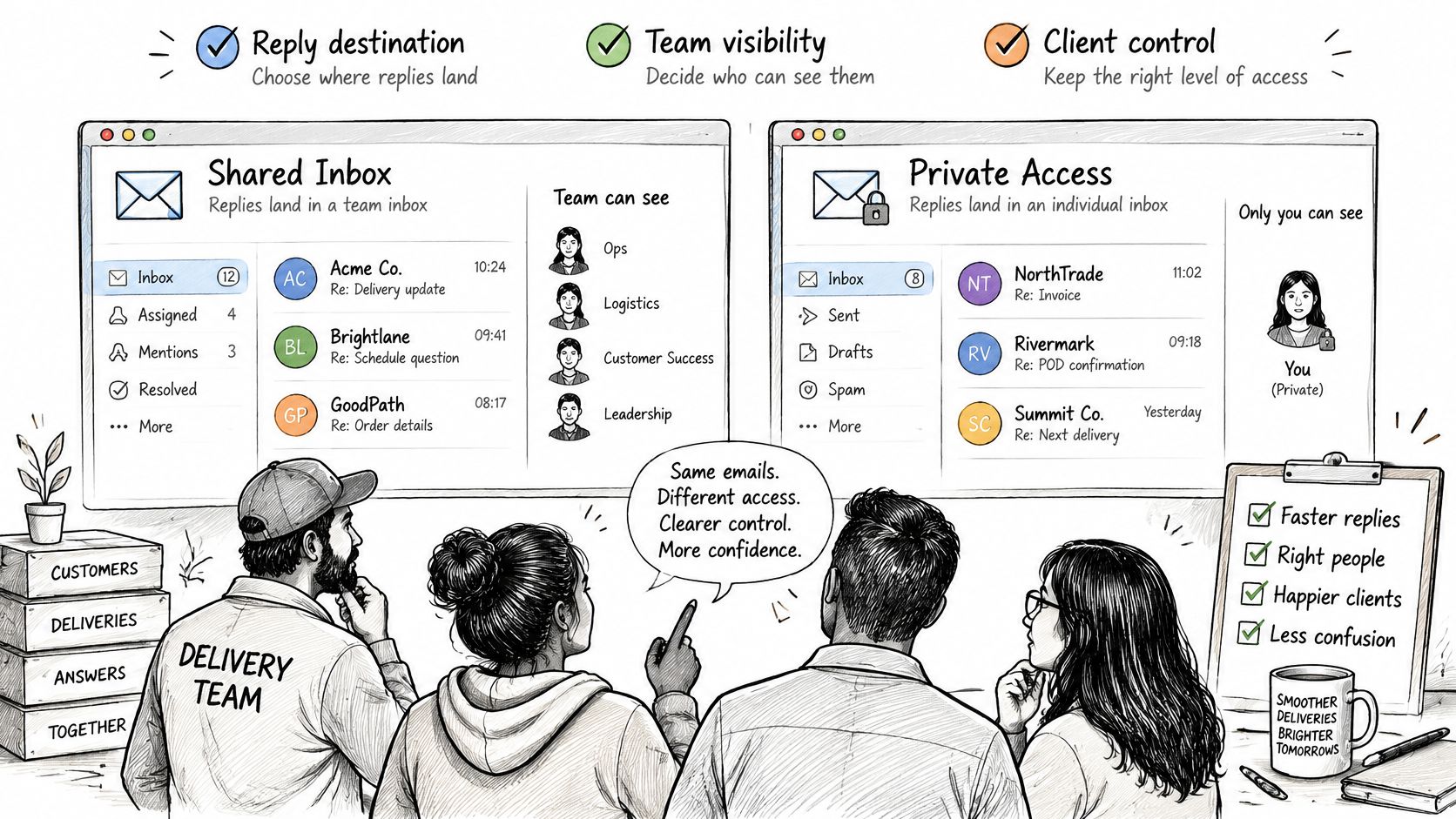
The question that splits these platforms isn't send volume. It's where a reply lands, and who is allowed to see it. Both tools will rotate mailboxes and warm domains without complaint. The difference appears on the morning a prospect answers a six-week-old sequence and two people on your team reply at once.
Three checks before you pick a side
- Count client accounts and ask whether each needs its own workspace. Client-level separation is the structural difference between the products. Eight clients inside one workspace is a filing problem. Eight clients across eight workspaces is a routing rule you configure once and forget.
- Estimate daily reply volume, then count the people who triage it. Push your expected numbers through the outbound volume planner before you commit. A shared inbox earns its keep at volume. Below that it's a shared distraction.
- Decide whether replies need AI drafting or a human writer. If you want software proposing responses, weight the built-in AI reply agents heavily. If every reply gets written by a person, that feature is a demo tab you'll never open.
The published feature sets match that reasoning. The Spotsaas comparison of Instantly and Smartlead reports Smartlead with a shared Master Inbox across campaigns and clients, automatic inbox rotation, client-level workspaces, white-label functionality and API access on higher-tier plans. Instantly is reported with a unified Unibox, unlimited mailboxes on paid plans, a built-in CRM, AI reply and sales agents, and an integrated lead database, with some unified-inbox and CRM capabilities plan-dependent. Read the plan tier carefully before a trial, and get the answer in writing.
If you'd rather have software read that inbox than a person, give agent access to inbox through Sickle's MCP server, so an assistant can pull replies and draft responses without anyone forwarding screenshots into a chat.
Say an agency runs six client accounts with two triagers splitting the day. Account separation wins, because a reply meant for client A must never surface inside client B's thread. Now say a single brand pulls about 200 replies a day into one inbox owner. A unified inbox wins, because splitting that volume across workspaces adds clicks and loses context.
Decision rule: several separate clients favor client-level workspaces. One brand with heavy reply volume favors the unified inbox.
Pricing and the Real Cost per Qualified Meeting
The trap is this. The nominally cheaper list price can be the more expensive decision once you scale. Existing comparisons stop at the entry tier and skip the charges that show up six weeks into a live campaign, which is exactly where the budget leaks. The Smartlead breakdown of Instantly alternatives puts the gap plainly: Smartlead starting around $39 a month and Instantly around $47, with Smartlead potentially billing warmup, placement testing, dedicated infrastructure, verification and white-label as separate charges, while Instantly separates lead data and some CRM functionality into additional products.
| Cost line | Smartlead | Instantly |
|---|---|---|
| Starting subscription | From about $39 per month | From about $47 per month |
| Warmup and placement testing | May be billed separately | Included with sending |
| Lead data | Sourced from your own data stack | Billed as an additional product |
| Email verification | May be billed separately | Bundled with the sending plan |
| Extra client workspaces | Billed per client for white-label | Workspace-level, no per-client fee reported |
| CRM functions | Handled through integrations | May be an additional product |
List every line your own setup will touch and mark the unknowns as questions for the vendor. Then run your numbers through the meeting cost calculator so the comparison lands on one figure.
Three scenarios to model with your own numbers
A founder sending a few thousand emails a month from one set of domains pays close to list price plus data, then adds maybe four hours a week on list building, copy and reply triage. An agency with several clients pays for extra workspaces and white-label reporting, and adds a reviewer who reads every sequence before it ships. A multi-market team carries more domains, more warmup cycles and a human closer who handles replies across time zones, which is usually the largest single line and the one nobody puts in the spreadsheet.
The number that decides it: total monthly spend, software plus labor, divided by qualified meetings booked.
Software cost and execution cost are different animals. Neither subscription supplies offer strategy, verified research, contextual copy or accountability for revenue. A cheaper tool that needs six more hours of human time each week loses to a pricier one that doesn't, every time you do the division.
For a managed comparison point, Ever Outbound runs on a pay-per-close basis, so the fee tracks closed deals rather than seats. Our Scale + AI Setter plan sits at $497/mo plus a 5% pay-per-close fee on closed deals, and includes automatic reply qualification, hands-off booking into your calendar and 24/7 speed-to-lead. We also publish comparisons of pricing models including pay-per-meeting, pay-per-appointment, meeting-ready leads, pay-per-lead, agency retainers and performance-based deals, because sticker price isn't the interesting number.
Integrations, Onboarding and Support
Setup is where the delays hide, and it's the part of a trial nobody budgets for. Three areas deserve scrutiny before you sign.
Integrations. Confirm native sync with your CRM, a calendar connection that writes booked meetings back, and webhook or API access for anything else in your stack. Ask which plan tier includes each one, because half the frustration in reviews of both tools comes from a feature that exists on a plan nobody quoted.
Onboarding. Ask how many calendar days pass before the first send. New domains and mailboxes need warmup before volume, so any timeline that promises live sending tomorrow is selling you a reputation problem. The same question applies to LinkedIn sequences if you run them.
Support. Check the channels, whether a named contact gets assigned, how deep the documentation goes, and how fast a real operational question gets answered. Test it during the trial with a genuine problem, not a billing question, and judge the reply rather than the help page.
On the managed side, the support model changes rather than just the software. Every Ever Outbound client has a dedicated Client Success Manager and a private dashboard showing campaigns, replies, interested prospects and booked calls in real time. Our email campaigns launch about 14 days after onboarding because new domains need to warm up, while LinkedIn campaigns go live within 72 hours.
Vendor checklist: integrations confirmed in writing, plan tier named for each, support response timed during the trial, onboarding timeline agreed in calendar days.
Which Tool Fits Your Team Type
Start with the team, not the tool. The table maps common situations to a starting point and the one check worth running before you commit money.
| Team type | Lean toward | Why | Test first |
|---|---|---|---|
| Agency with several client accounts | Smartlead | Client workspaces, shared inbox and white-label on higher tiers | Reply routing between accounts |
| SaaS revenue team, one brand | Instantly | Unified Unibox and built-in CRM cut tool count | CRM sync and lead-data cost |
| Solo consultant, low volume | Test both | Starting prices are close, add-ons decide the bill | Monthly cost at your volume |
| Multi-market team, many domains | Smartlead | Mailbox management depth | Rotation rules and warmup per domain |
| Heavy reply volume, one person triaging | Instantly | Unified inbox and AI reply agents | Reply-handling accuracy on real replies |
| Team wanting booked meetings, not software | Neither alone | Software supplies sending, not offer or follow-up | Cost per qualified meeting, managed versus software |
Agencies usually test one thing and stop: send a reply to client A's campaign, then confirm nobody on client B's workspace can see it. SaaS teams should test CRM sync before anything else, because a contact that lands in the wrong pipeline stage costs more than a month of subscription.
Solo consultants get the least value from feature lists and the most from a spreadsheet. Model your real monthly bill on both tools, add your own hours at whatever they're worth, and see which one survives.
Multi-market teams should test rotation before volume. Push a small send across four domains and watch how each one warms, because a platform that treats all domains identically will get your best domain punished for a new one's mistakes.
The last row is the honest one. If what you want is booked meetings rather than a sending interface, you're comparing software against a managed outcome. Ever Outbound provides comparisons against DIY tools including Instantly, Amplemarket, ListKit, Smartlead, Apollo, Lemlist, Salesforge, Valley, HeyReach, Expandi, Gojiberry, Artisan, 11x, Clay, PhantomBuster, Dripify, Linked Helper, AiSDR, Regie.ai, Reply.io, Outreach and Salesloft, and we run on a pay-per-close basis so the invoice follows closed deals. See how Ever Outbound works before you assume the software route is cheaper.
Pick the row that describes your team, then test only the check in that row during the pilot.
Deliverability Tests and the Pilot That Decides
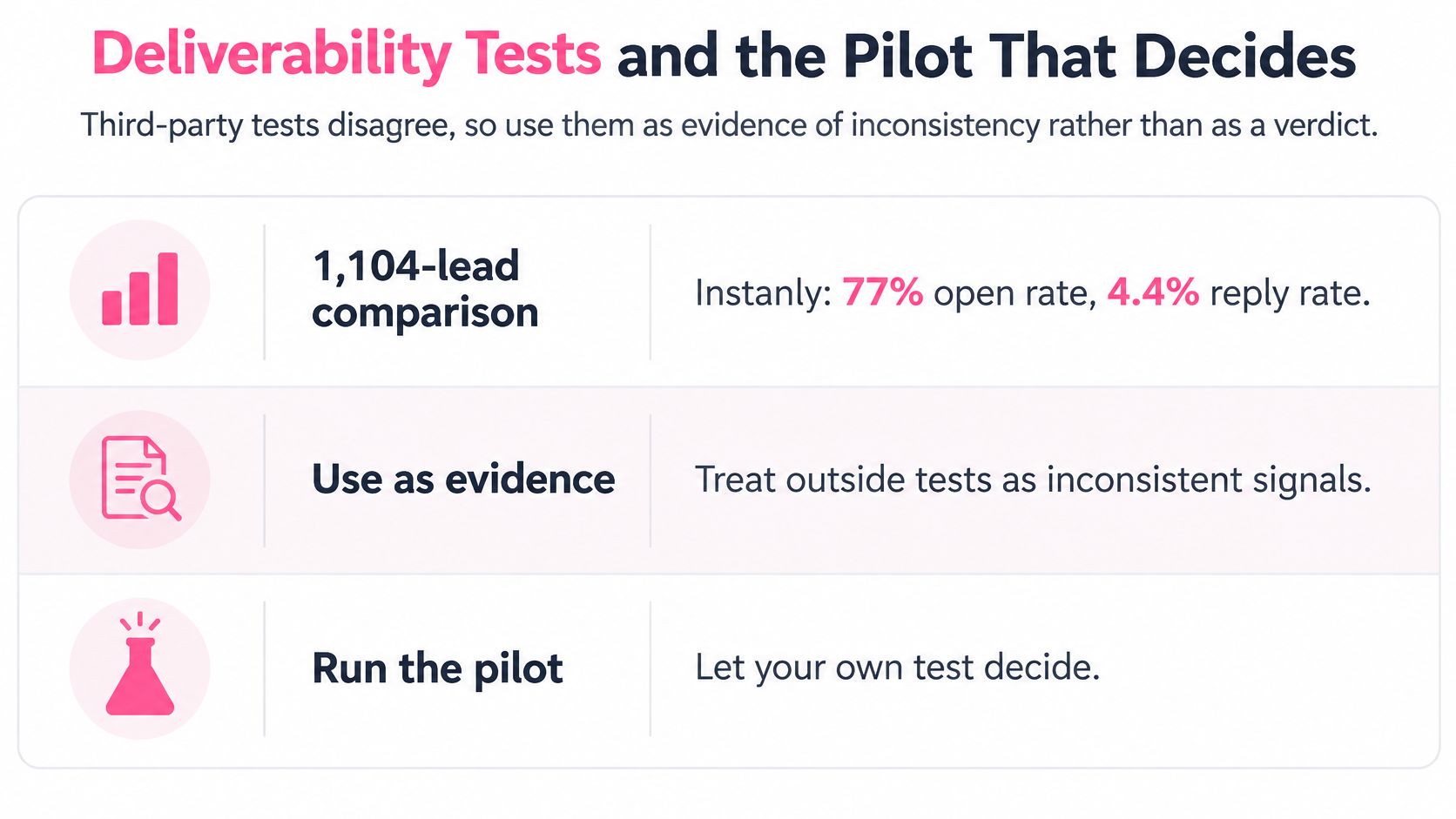
Third-party deliverability tests disagree with each other, which is the most useful thing they do. Treat them as evidence of inconsistency rather than a verdict you can borrow.
| Test | Metric | Instantly | Smartlead |
|---|---|---|---|
| 1,104-lead comparison | Open rate | 77% | 45.9% |
| 1,104-lead comparison | Reply rate | 4.4% | 0.96% |
| Placement comparison | Inbox placement | 94% | 89% |
| Placement comparison | Bounce rate | 1.2% | 2.1% |
| 30-day comparison | Inbox placement | 84.1% | 87.4% |
| 30-day comparison | Bounce rate | 2.3% | 2.1% |
Why the numbers disagree
The Grou global Smartlead vs Instantly comparison collects those results and shows the problem: one test hands Instantly a wide lead on opens and replies, a second gives Instantly the placement edge, and a third reverses placement entirely over 30 days. Opens are the least reliable of the lot, because mailbox privacy features and tracking behavior distort measurement. Bounce rate and positive-reply rate are the KPIs you can act on.
There's a second gap in most coverage. Existing write-ups label Smartlead deliverability-focused and Instantly easier or more integrated, yet almost none explains how to verify inbox placement for your domain, your geography, your mailbox provider, your sending pattern and your actual message. The lemlist comparison of Instantly and Smartlead is right that deliverability claims aren't deliverability outcomes: a message can technically deliver, land in spam, get ignored for weak targeting, or get answered negatively because the personalization was thin. Mailbox counts and warmup availability don't answer which tool produces more qualified conversations without damaging sender reputation.
Build the pilot
- Hold the variables constant. Same offer, audience, list source, copy, domains, mailbox provider, daily volume and follow-up timing across both tools.
- Run several sending cycles. One week tells you about luck. Three to four cycles tell you about pattern.
- Track the honest metrics. Unique positive replies, qualified-booking rate, hard-bounce rate, spam complaints, and a placement test against your own domains, run through the email deliverability checker.
- Cover the non-email risks. Consent and suppression management, regional privacy rules, and whether one person can pause a live campaign within minutes when complaints spike.
- Do the division. Take the fully loaded cost per qualified meeting from your cost sheet and only pick the cheaper figure if deliverability held through the whole pilot.
Pilot rule: if hard bounces climb in week one, stop and fix the list. Rewriting copy to compensate for bad data wastes weeks.
Schedule the pilot this week, with domains you already own, and put the cost-per-meeting result in writing before anyone signs an annual contract.
How to Migrate Campaigns Without Losing Warmup
Migration is where warmed domains get burned, usually by someone buying a fresh set of mailboxes "to start clean." Don't. The reputation you built is the asset, and the sequence below moves it intact.
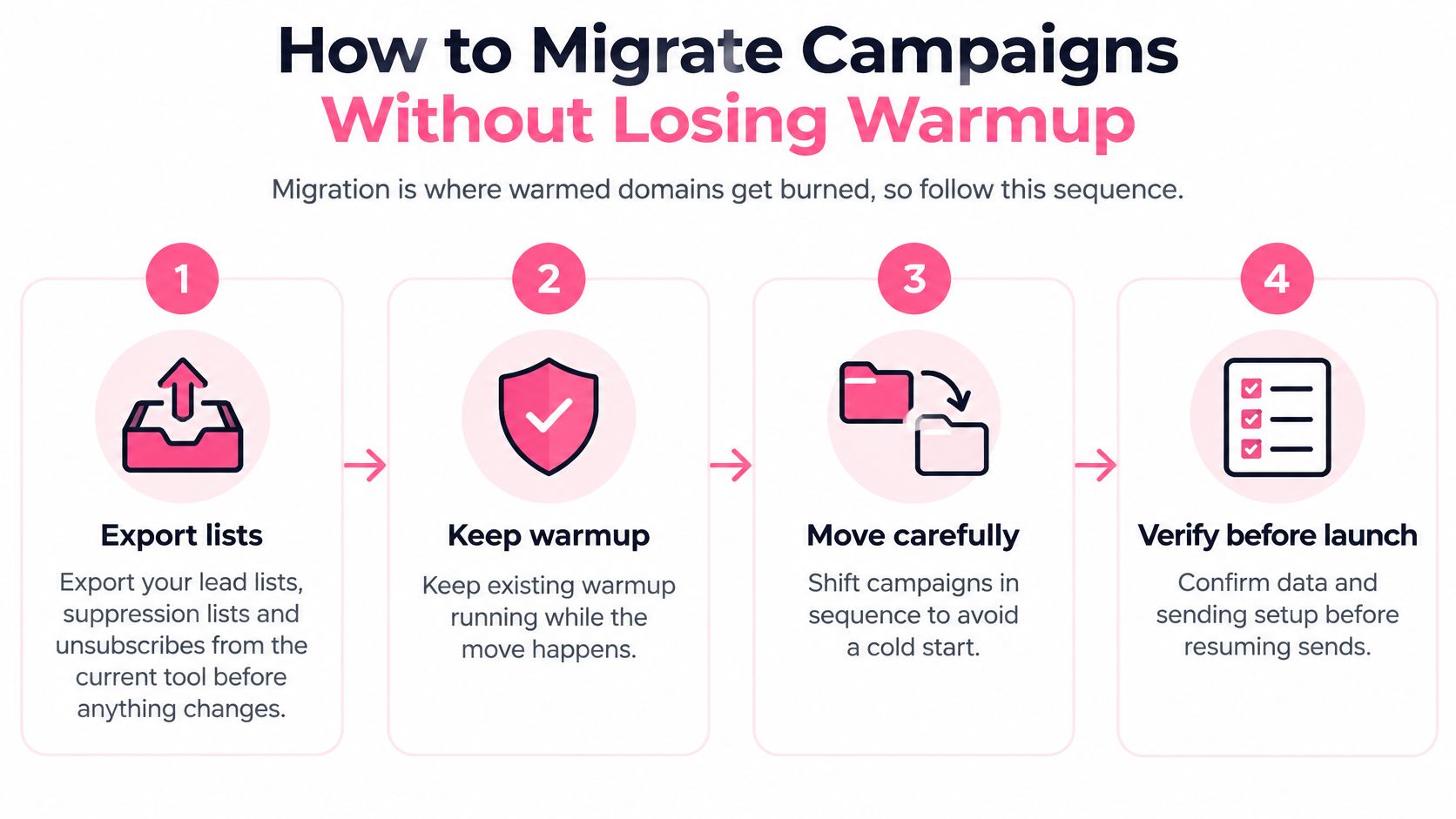
- Export everything that represents permission. Lead lists, suppression lists, unsubscribes and the list of people who already replied. Lose the suppression file and your first send after migration hits people who asked you to stop.
- Keep your existing domains and mailboxes. Switching platforms doesn't require new infrastructure, and re-warming resets the trust your current mailboxes earned.
- Connect the same mailboxes to the new tool and leave the old warmup running. Overlap the two until the new account shows stable warmup behavior, then retire the old one.
- Rebuild sequences with identical copy and timing. Check every variable against a test send, because a mismatched field name turns a personalized email into a template with a blank first line.
- Import leads and deduplicate against your suppression file. Run the list through the lead list cleaner and strip anyone who has replied before. Re-pitching a warm contact in a cold sequence is the fastest way to lose them.
- Move one campaign at a time at low daily volume. Ramp only while bounce rate stays at or below its pre-migration level. Two campaigns moving at once gives you two problems with one cause.
- Check the numbers daily for the first two weeks. Bounce rate, complaints, positive replies. Daily for a fortnight, then weekly once the trend is flat.
- Retire the old campaign only when results hold. Positive reply rate and bounce rate should be steady across several cycles before you delete anything.
Keep a rollback plan. Pause the new campaign the moment complaints rise, not at the end of the week when someone checks a dashboard. The old campaign still exists, and a two-day pause costs less than a month of reputation repair.
Ever Outbound Inc. runs the entire outbound motion on a pay-per-close basis, so there's no retainer and you pay a 5% commission only when a deal closes from our efforts, with your first two closes commission-free. We build the offer, the verified lists, the human-written sequences and the warmed sending infrastructure, then a team plus AI appointment setting puts qualified calls on your calendar and shows every one in a live dashboard. If you'd rather compare cost per qualified meeting than feature tables, visit Ever Outbound Inc. and see what the pay-per-close model looks like at your volume.