November 12, 2026
ListKit vs Apollo: Which Lead Tool Fits Your Team
Three weeks into the quarter, the pipeline looks like a fridge on a Sunday night. Not empty. Just nothing you'd serve a guest. You need 4,000 fresh contacts before month end, your one SDR is at a conference, and you've got two pricing pages open in adjacent tabs. One sells lists. The other sells an entire sales floor.
Both take cards. Both promise verified data. Neither number on the page reflects what you'll pay once phone numbers enter the picture. That gap between the advertised price and the invoice is where the ListKit vs Apollo decision gets made, and it's the thing feature grids never show you.
Say you're the person who signs off on tooling. Your finance lead wants one number for cost per booked meeting. Here's how to get there without buying a year of the wrong credits.
Table of Contents
- ListKit vs Apollo at a Glance
- Lead Data Claims and How Much to Trust Them
- What Credits Cost per Verified Contact
- Plan Prices and Sending Capacity Compared
- Workflow Breadth and Credit Governance
- Which Tool Fits Agencies, SaaS and Consultancies
- Choose Your Tool Before Committing Budget
ListKit vs Apollo at a Glance
A team sending a few thousand emails a month hits the same fork. They need continuous list production, nobody on staff wants to become a data engineer, and someone has been nominated to pick a tool by Friday. Both products land on the shortlist and they aren't the same species.
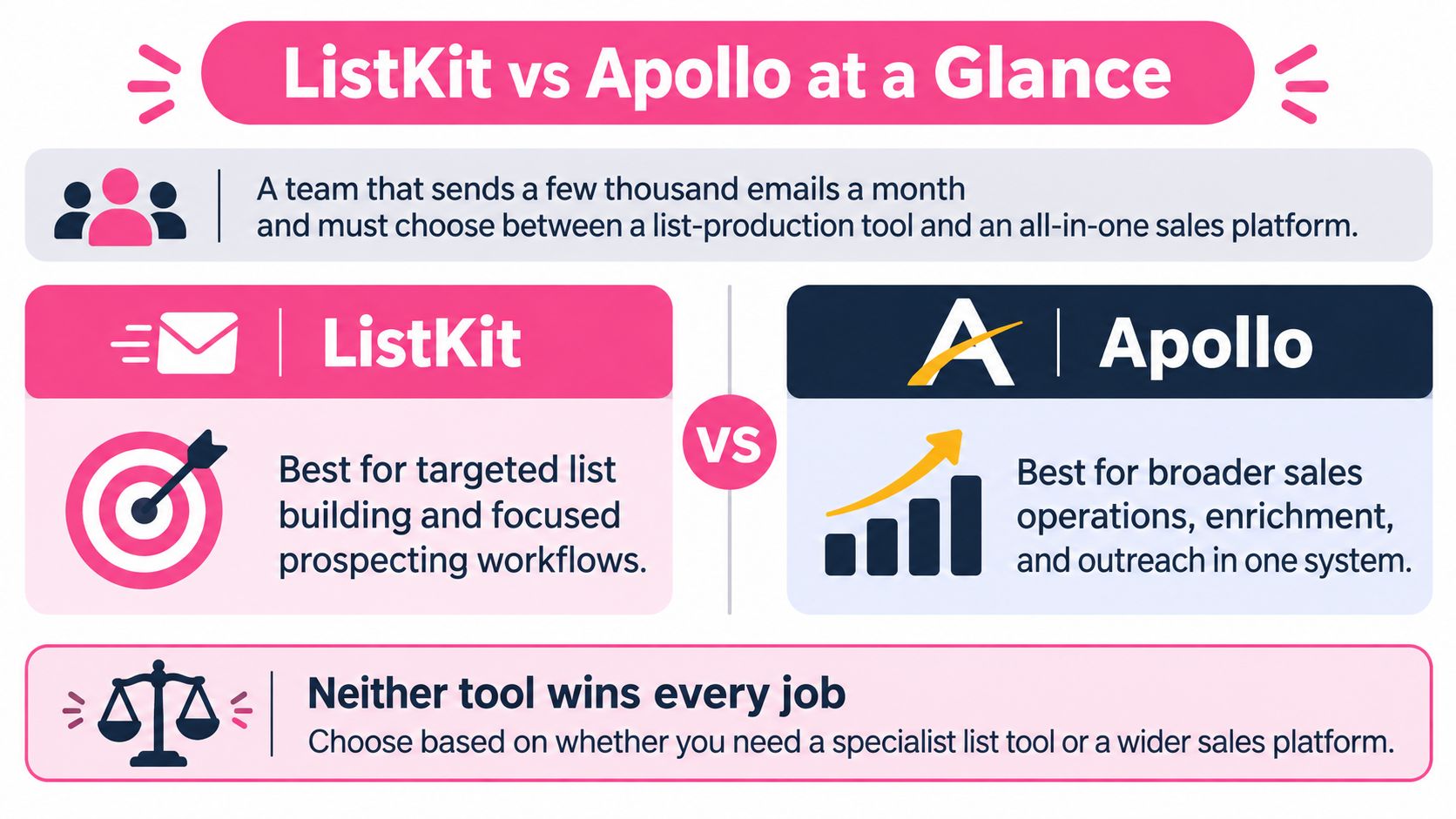
ListKit is a list factory. Feed it a filter, get verified records back, with sending infrastructure bundled on top if you want it. Apollo is a sales floor. Prospecting, enrichment, sequencing and reporting live behind one login, and the data is a module inside a larger machine.
Apollo has the longer paper trail. The company dates its own history to a 2015 founding and a first product in 2016, then added a free plan in 2018, a freemium experience in 2019 and unlimited-data plans in 2020. That record says little about data quality and plenty about whether the product will still be standing in three years.
| Criterion | ListKit | Apollo |
|---|---|---|
| Best fit | Managed list production with predictable per-contact cost | Integrated prospecting, enrichment and sequencing |
| Lead database claim | 731 million verified leads (vendor comparison page) | 270 million-plus verified contacts (TechCrunch, August 2023) |
| Pricing model | Monthly bundles that stack linearly | Per-user plans with annual credit allocations |
| Credit model | 1 per triple-verified business email; 3 per found U.S. mobile | Up to 1 per verified email, plus 8 when a mobile number comes back |
| Sending included | Sending domains and Google Workspace inboxes in bundles | Warmup, domains and mailboxes can draw on credits |
| Evidence quality | Mostly vendor-reported figures | Independently reported user and database milestones |
Read that table by row, not by column. If your bottleneck is producing 20,000 clean records a month at a known price per record, the left column is easier to defend in a budget meeting. If your bottleneck is everything that happens after the list exists, sequencing, enrichment, reply handling, the right column replaces two subscriptions with one.
The evidence row is the one people skip. Publicly available search results turned up no independently verified company-wide user, revenue or funding totals for ListKit comparable to Apollo's reported milestones, so treat the scale figures as vendor-reported until you've tested them yourself.
Lead Data Claims and How Much to Trust Them
Say a café owner is choosing a prospecting tool for a small sales team. One vendor advertises a much larger database, but the useful question is how many contacts match the café's target buyers and have deliverable email addresses.
ListKit's comparison page claims approximately 731 million verified leads for ListKit and 275 million for Apollo. Those are vendor-reported figures, not an apples-to-apples measure: providers may count records, people, or profiles with different verification standards.
Apollo has publicly reported growth and financing milestones. That context may help establish that the company has operated at scale, but it does not independently prove that its database covers your target market better. ListKit's headline count also needs a practical test before it can guide a buying decision.
Why a bigger database doesn't prove better data
A larger count can reflect different counting rules. One platform may count raw records, another deduplicated contacts, and another profiles with at least one verified field. The label “verified” is only useful when you know what was checked.
The test that settles it: Pull a sample from one narrow vertical you sell into. Check whether the contacts fit your buyer profile, then verify which email addresses are deliverable. That survivor count is more useful than a headline total.
Three checks to run before you trust either number
- Sample one vertical: Export contacts from a niche you know, such as Series A fintech companies in Austin, and check the job titles. If the titles are wrong, the database total won't help.
- Verify the email column: Run the export through a lead list cleaner before counting usable records. A deliverable address is more valuable than a record that only looks complete.
- Count survivors after deduplication: Remove duplicate rows before comparing results. Otherwise, the same person can inflate the apparent size of a list.
The practical distinction is evidence quality. ListKit's cited scale figure is vendor-reported; Apollo has publicly reported growth and financing milestones. Neither settles which tool has better coverage for your segment. A targeted sample does.
What Credits Cost per Verified Contact
The subscription price buys access. The credit menu sets your real cost per contact, and the two numbers drift apart the moment your campaign needs anything beyond a business email.
Here's the field-level arithmetic from ListKit's credit documentation. A triple-verified business email costs 1 credit. A found U.S. mobile number costs 3 credits. Verifying an existing email list costs 0.1 credit per address. Email sending and campaign execution don't touch credits at all, so list acquisition can be budgeted separately from outbound volume. Unavailable mobile numbers aren't charged, which removes the sting of a lookup that returns nothing.
Apollo's rules, from its credit pricing explainer, charge no more than one credit for a contact's personal email, business email or both, and only for addresses it can verify. A returned mobile number adds 8 credits on top. A request that finds no credit-consuming data costs zero.
| Data item | ListKit credits | Apollo credits | Billing note |
|---|---|---|---|
| Business email | 1 (triple-verified) | Up to 1, only if verified | Apollo charges a personal email, a business email or both as one credit, and only when it can verify the address |
| U.S. mobile number | 3 | 8 when a number is returned | Apollo adds the mobile charge on top of the email credit |
| Verification of an existing email list | 0.1 per address | No standalone per-address rate published | ListKit prices list verification separately from new lead data |
| Lookup with no data found | 0 for an unavailable mobile | 0 | Neither platform charges when no credit-consuming data is returned |
| Credit expiry | Monthly bundle allowance; sending does not use credits | Pooled, granted at cycle start, not rolled over | Model unused Apollo credits before the cycle resets |
One thousand contacts, two invoices
Take a realistic campaign. You need 1,000 contacts, 70% of them reachable by business email and 30% needing a mobile number.
- ListKit: 700 emails at 1 credit each is 700 credits. 300 mobiles at 3 credits each is 900. Total, 1,600 credits.
- Apollo: 1,000 records at up to 1 credit for a verified email is 1,000 credits. 300 mobiles at 8 credits each is 2,400. Total, 3,400 credits.
Push the mobile share to half the list and the gap widens. ListKit lands at 2,000 credits (500 emails plus 500 mobiles at 3). Apollo lands at 4,500 (500 emails plus 500 mobiles at 8). Email-only campaigning, by contrast, is close to parity: roughly one credit per verified address on both.
The same logic applies to cleaning. Verifying 10,000 existing addresses on ListKit costs 1,000 credits at the 0.1-per-address rate. If your Apollo plan charges enrichment against the same pool, factor that in before you assume the migration is free.
Track cost per usable, verified contact, split by segment and channel. Total records exported is a vanity number that will make a bad mobile-heavy campaign look efficient.
If you're weighing a managed service against this credit arithmetic, our pricing page lays out the plans, and we're pay-per-close.
Plan Prices and Sending Capacity Compared
Say a five-person sales team is choosing between more sending capacity and more seats. ListKit's Bundle plan documentation lists one bundle at $597 per month, with 20 sending domains, 40 Google Workspace inboxes, roughly 1,000 emails per day and 10,000 monthly credits. The bundle also includes storage for 20,000 contacts. That storage figure is a capacity limit, not a credit allowance.
Bundles stack: two cost $1,194 per month for about 2,000 daily emails, while five cost $2,985 for about 5,000.
Apollo's published plan ladder charges by seat and allocates credits annually. Free includes 900 credits a year. Basic costs $49 per user per month with 30,000 credits a year; Professional is $79 with 48,000; Organization is $119 with 72,000 and a three-user minimum. Higher tiers add engagement features such as dialers, mailboxes, automated workflows, AI research, SSO and advanced security. The bill is for seats and functionality, not database access.
| Plan | Monthly price | Credits | Sending included |
|---|---|---|---|
| ListKit Bundle | $597 | 10,000 monthly | 20 domains, 40 Google Workspace inboxes, about 1,000 emails per day |
| ListKit two bundles | $1,194 | 20,000 monthly (stacked) | About 2,000 emails per day |
| ListKit five bundles | $2,985 | 50,000 monthly (stacked) | About 5,000 emails per day |
| Apollo Free | Free | 900 per year | No sending tools listed at this tier |
| Apollo Basic | $49 per user | 30,000 per year | No dialer or mailbox features listed at this tier |
| Apollo Professional | $79 per user | 48,000 per year | Mailboxes and automated workflows among the higher-tier features |
| Apollo Organization | $119 per user, three-user minimum | 72,000 per year | Adds dialers, mailboxes, AI research, SSO and advanced security |
The five-seat test
Five Apollo Professional seats cost $395 a month and provide 240,000 credits across the year. Five Organization seats cost $595 a month and provide 360,000 credits, or about 30,000 a month for the team.
At roughly the price of five Organization seats, one ListKit bundle costs $597 and includes 10,000 monthly credits plus sending infrastructure. Apollo gives the team five logins and a larger monthly credit allowance, but no list-building service. Same ballpark on price, different shopping list.
Use the outbound volume planner with your headcount and planned sending volume before signing. The right comparison depends on whether seats or sending capacity is the tighter constraint. If you are building AI SDR tooling and want usage-based data access, RichAPI plans for AI SDR builders price by call, a separate model to compare against your own usage.
Seat-based pricing gets more expensive as the team grows. Volume-based pricing keeps charging for capacity in quiet months. Choose the billing risk your workflow can absorb.
Workflow Breadth and Credit Governance
Say a sales rep is pulling contact data, enriching records, and building sequences in Apollo. Keeping those tasks in one console can reduce tool switching. It also means several activities draw from the same credit allowance.
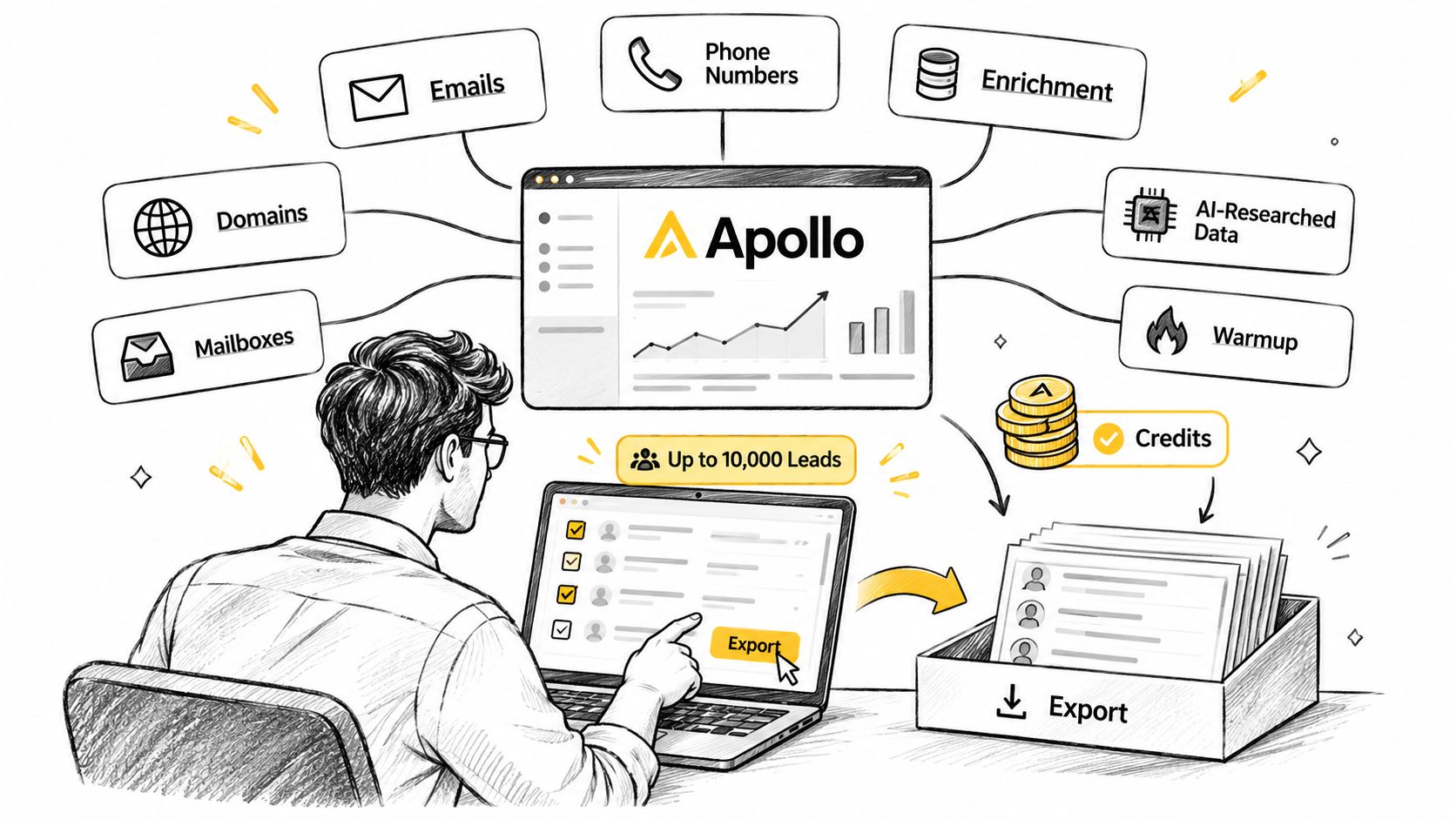
Apollo's platform documentation says credits cover emails, phone numbers, enrichment, AI-researched data, warmup, domains, and mailboxes. Credits are pooled across the team, issued at the start of the billing cycle, and unused credits do not roll over. Apollo also allows users to select and export up to 10,000 leads in one action when no lower record limit applies. API rate limits vary by plan and endpoint; exceeding a limit can return an HTTP 429 response.
The practical risk is shared consumption. A rep testing AI research can use credits that another rep expected to spend on contact data. Track activity by user and by outcome, not just by records exported.
The governance checklist to paste into your onboarding doc
- Review weekly burn: Compare credit use with contacted accounts, not just records pulled.
- Set per-user guidelines: Give each rep a soft ceiling so one large research session does not consume the shared allowance.
- Batch API jobs: Schedule larger syncs carefully. If an API responds with HTTP 429, slow the requests rather than retrying faster.
- Track cost per qualified account: Compare spend with accounts that were contacted and qualified. Export totals alone can make a campaign look more productive than it was.
- Test the integrations you need: Check ListKit's CRM and calendar integrations during a trial before committing.
ListKit focuses more narrowly on list production, with sending included in its bundle. That can make budgeting easier when the main job is producing lists and sending on a schedule. Apollo brings more work into one console, while its shared credit pool calls for closer oversight.
For teams that would rather hand off list building, copywriting, sending, and booking calls, Ever Outbound's managed outbound service is another option. Replies land in a shared inbox managed by Ever Outbound's team and the AI Appointment Setter.
Which Tool Fits Agencies, SaaS and Consultancies
The right answer depends on headcount and volume, not on which product is better in the abstract. Four profiles cover most buyers.
A marketing agency running separate lists for eight clients leans ListKit. Per-contact list costs and bundled sending map cleanly onto client billing, and a bundle that includes inboxes means fewer vendor lines per account. The discipline required is tracking credit burn per client, because a busy month for one account subsidises it from the pool.
A B2B SaaS revenue team with an existing stack leans Apollo. Enrichment, sequencing and integrations sit in one platform, and the team already has CRM hygiene habits to build on. The cost is governance: pooled credits and API rate limits need an owner, or the finance review in month three gets uncomfortable.
A consultancy with a small outreach team is the split decision. Entry pricing looks cheap at two seats, then per-user plans multiply with every hire while the list volume stays flat. Past three or four seats, a bundle priced by sending capacity usually wins. Below that, seat pricing is fine.
A solo consultant testing an offer can start on Apollo Free, whose 900 annual credits cover a small test list. The caveat is that unused credits don't roll over, so don't treat the free allowance as a savings account.
| Buyer profile | Lean toward | Why it fits | Watch for |
|---|---|---|---|
| Agency running separate client lists | ListKit | Per-contact list costs and bundle sending map cleanly onto client billing | Track credit burn per client account |
| B2B SaaS revenue team with an existing stack | Apollo | Enrichment, sequencing and integrations sit in one platform | Govern pooled credits and API rate limits |
| Consultancy with a small outreach team | Apollo while seats stay under four, ListKit once list volume grows | Entry pricing is cheap at low headcount | Per-user pricing multiplies with every seat |
| Solo consultant testing offers | Apollo Free plan | 900 credits a year cover a small test list | Credits do not roll over between cycles |
What flips each decision is concrete. For the agency, it's a client asking for call recordings instead of email replies. For the SaaS team, it's a rep burning 5,000 credits on unqualified accounts in a week. For the consultancy, it's hiring a fifth person. For the solo tester, it's the first campaign that works and needs 3,000 contacts instead of 300.
If you run an agency and the list work is the part you'd rather hand off, our agency outbound program exists for exactly that, and yes, we're pay-per-close.
Choose Your Tool Before Committing Budget
Say a consultancy is choosing between ListKit and Apollo. Before signing an annual contract, run the same real prospect segment through each tool for two weeks. A tidy sample list won't show how filters, verification and duplicates affect the cost of contacts you can use.
- Set a baseline. Add your last three months of list and sending costs, then divide by the number of verified contacts you emailed. That gives you a comparison point for the trial.
- Use a production-ready segment. Choose the filters you'd use for a live campaign and track what each tool returns.
- Verify and deduplicate. Run the email column through verification and remove duplicates. Compare the survivors, not the exported rows.
- Calculate cost per usable contact by channel. Separate business emails from U.S. mobile numbers. ListKit charges 1 credit for an email and 3 for a mobile. Apollo charges up to 1 credit for a verified email and 8 more when a mobile number is returned.
- Test your workflow. During the trial, check the CRM sync and calendar booking you rely on.
- Work within platform limits. Apollo limits selections to 10,000 leads and may return HTTP 429 responses when API rate limits are exceeded. Batch exports accordingly.
At the end of the trial, compare cost per usable contact. A larger advertised database or a cleaner-looking price page won't tell you whether the contacts fit your campaign.
If you'd rather hand off the outbound work, Ever Outbound offers an AI Setter service, a cold email system and LinkedIn outreach. Its Local plan costs $97 per month plus a 5% pay-per-close fee on closed deals, with the first 2 closes commission-free.
Whichever tool you choose, check what happens after a contact leaves the list. A verified address can still be a poor fit for your offer. If you'd rather delegate list building, copywriting, sending infrastructure and booking, Ever Outbound Inc. provides done-for-you B2B client acquisition. You show up to the calls the team books and close the deals. Start with one segment and compare the cost of a closed deal.