November 17, 2026
Inbox Placement Test Explained: How to Read Your Results

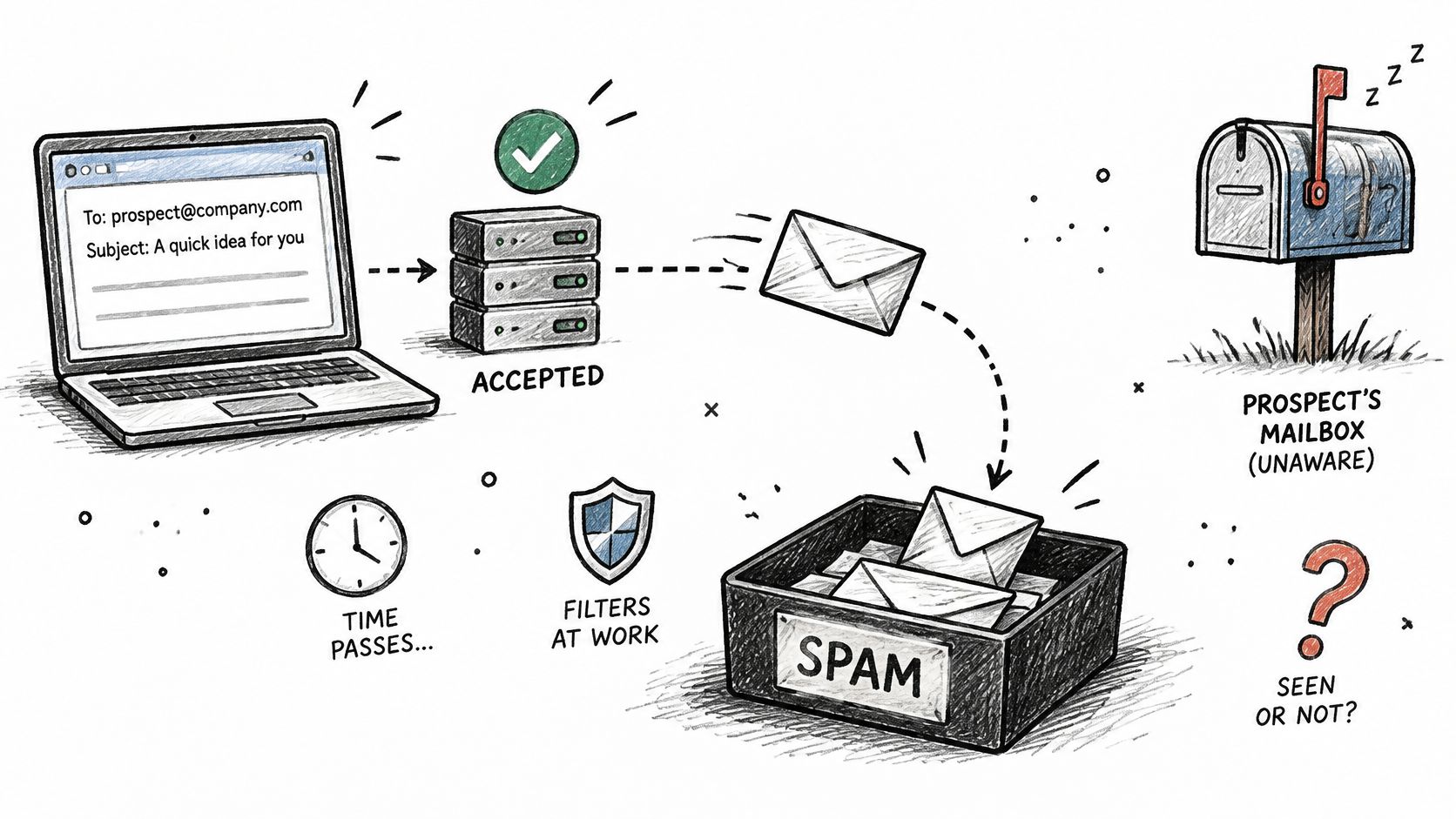
You hit send on a cold email, the log says accepted, and the prospect never writes back. The pitch might be fine. The message is sitting in spam, parked in a side tab, or gone after the server said yes.
That gap is what an inbox placement test is for. It isn't a grade on your copy. It's a symptom report: which mailbox provider put the message where, and whether that pattern repeats. A blended percentage can look healthy while one provider quietly fails the people you actually sell to.
Table of Contents
- What an Inbox Placement Test Actually Measures
- How an Inbox Placement Test Runs Step by Step
- Authentication and Complaint Checks That Shape Placement
- Benchmark Inbox Placement Rates by Mailbox Provider
- Reading Results and Diagnosing Placement Patterns
- A Worked Example From a B2B Outbound Test
- Confirm Your Placement Before You Scale Your Next Campaign
What an Inbox Placement Test Actually Measures
You send the email. Your server logs say the receiving server accepted it. The prospect never sees it, because acceptance only proves a server took the message. Placement is the folder they open: Primary, another inbox tab, spam, or nowhere.
Think of the post office stamping a letter as received, then dropping it at the wrong door. The stamp is real. The person still doesn't have the letter. An inbox placement test closes that gap. You send one controlled message to seed mailboxes spread across Gmail, Outlook, Yahoo, and Apple Mail, then write down where each copy lands.
Why the folder matters more than the log
Mailbox providers now judge reputation and authentication, not just the technical handoff. Google's sender guidelines took effect on February 1, 2024, and they require all senders delivering email to Gmail accounts to meet specified requirements, including at least one authentication method such as SPF or DKIM. An email can still be accepted and then diverted to spam or another folder instead of the primary inbox. That 2024 shift is also why you retest after you change domains, sending volume, content, links, or authentication records.
The check is still often skipped. In 2025, Mailgun's State of Email Deliverability reported that only 13% of surveyed email senders used inbox placement testing to monitor deliverability. Everyone else is guessing from opens and a green delivered status.
Practical rule: If the only proof you have is an acceptance log, you don't know whether the prospect can see the email.
Before you trust a campaign, run the setup through an email deliverability checker, then confirm the folder with seeds. The test measures the last mile of email, the recipient's folder, not whether your system sent the message.
How an Inbox Placement Test Runs Step by Step
A delivery log and an inbox are not the same event. MailTester's provider placement notes draw the line clearly: SMTP acceptance only proves the receiving server took the message, not that it appeared in the user's inbox. Simulated checks can't reproduce how those filters decide, so the test has to use active real mailboxes.
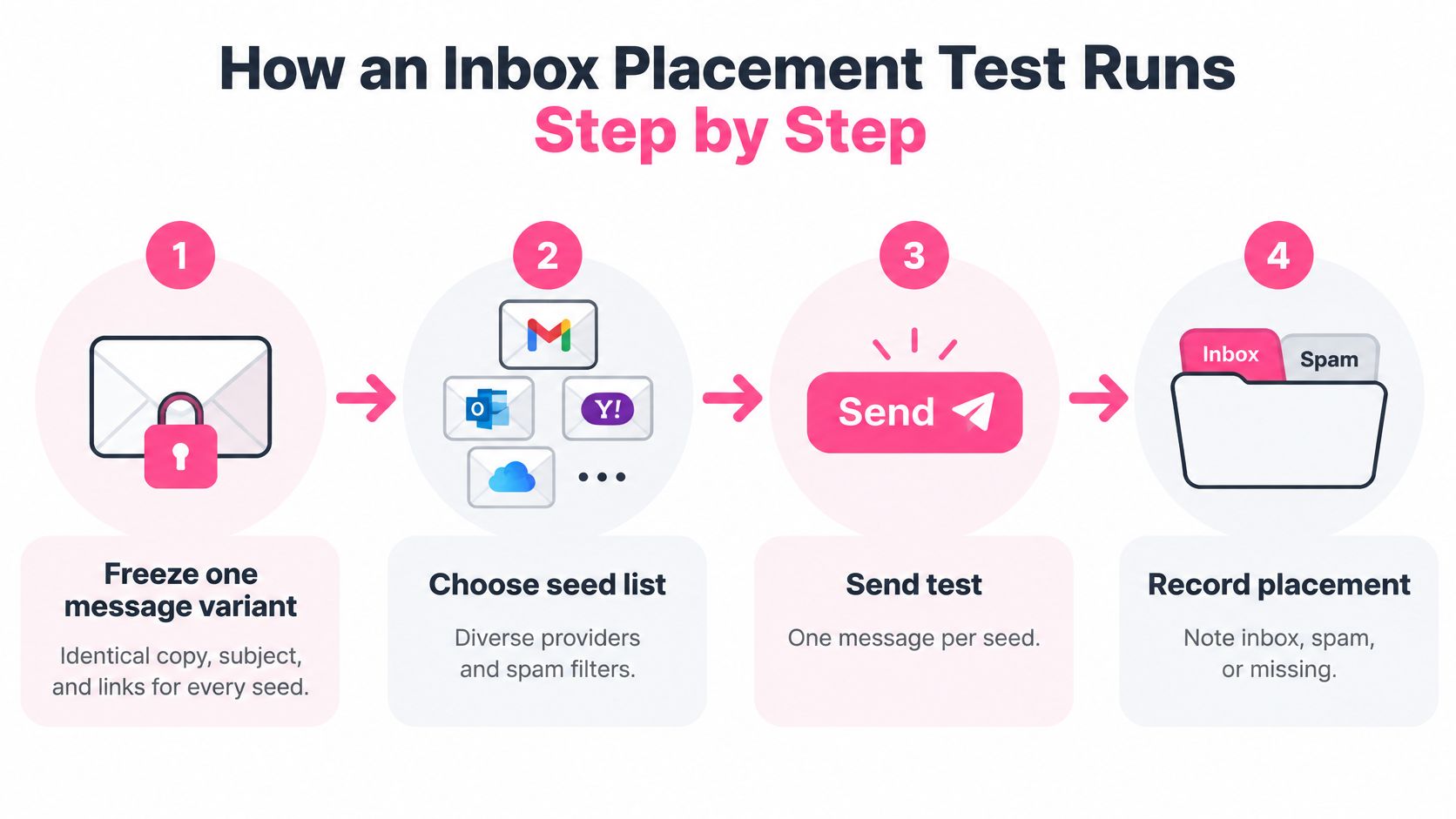
Seven steps that keep the result honest
Run it like a lab test, not a vibe check. Each step exists so a later folder change has one explanation.
Freeze one message variant. Every seed gets identical copy, the same subject line, and the same links. If the wording changes mid-test, you can't tell whether the folder moved because of the provider or because you edited the pitch.
Choose seed accounts at the providers on your prospect list. Use live mailboxes at Gmail, Outlook, Yahoo, and anyone else who shows up in the list. A seed that doesn't match your buyers tells you about a mailbox you don't sell to.
Send all copies in one controlled window. Bunching the sends limits throttling, time-of-day swings, and a filter update that lands halfway through the batch.
Record the final folder for each seed. Mark Primary, another inbox tab, spam, or no visible delivery. Delivered is not a folder, and a missing copy is its own outcome, not a rounding error.
Log the sending identity beside each result. Write down the sending domain, mailbox, IP or infrastructure pool, message variant, and timestamp. A sharp drop at one provider points to a local reputation or policy issue. A drop everywhere at once points harder at the domain, the content, authentication, or list quality.
Repeat the same test across several days. Provider decisions move with sender reputation, recipient engagement, content, authentication, and infrastructure behavior. One afternoon is a snapshot, and snapshots flatter you.
Compare provider-level rates, never one blended score. Average the providers together and the weakest mailbox disappears inside the strongest one.
The short video below walks the same loop: one message, real seeds, folder written down.
A single run is a weather report. A pattern that shows up on day two and day three is what you can act on. If only Tuesday looks ugly, wait for Wednesday before you rebuild the domain.
Authentication and Complaint Checks That Shape Placement
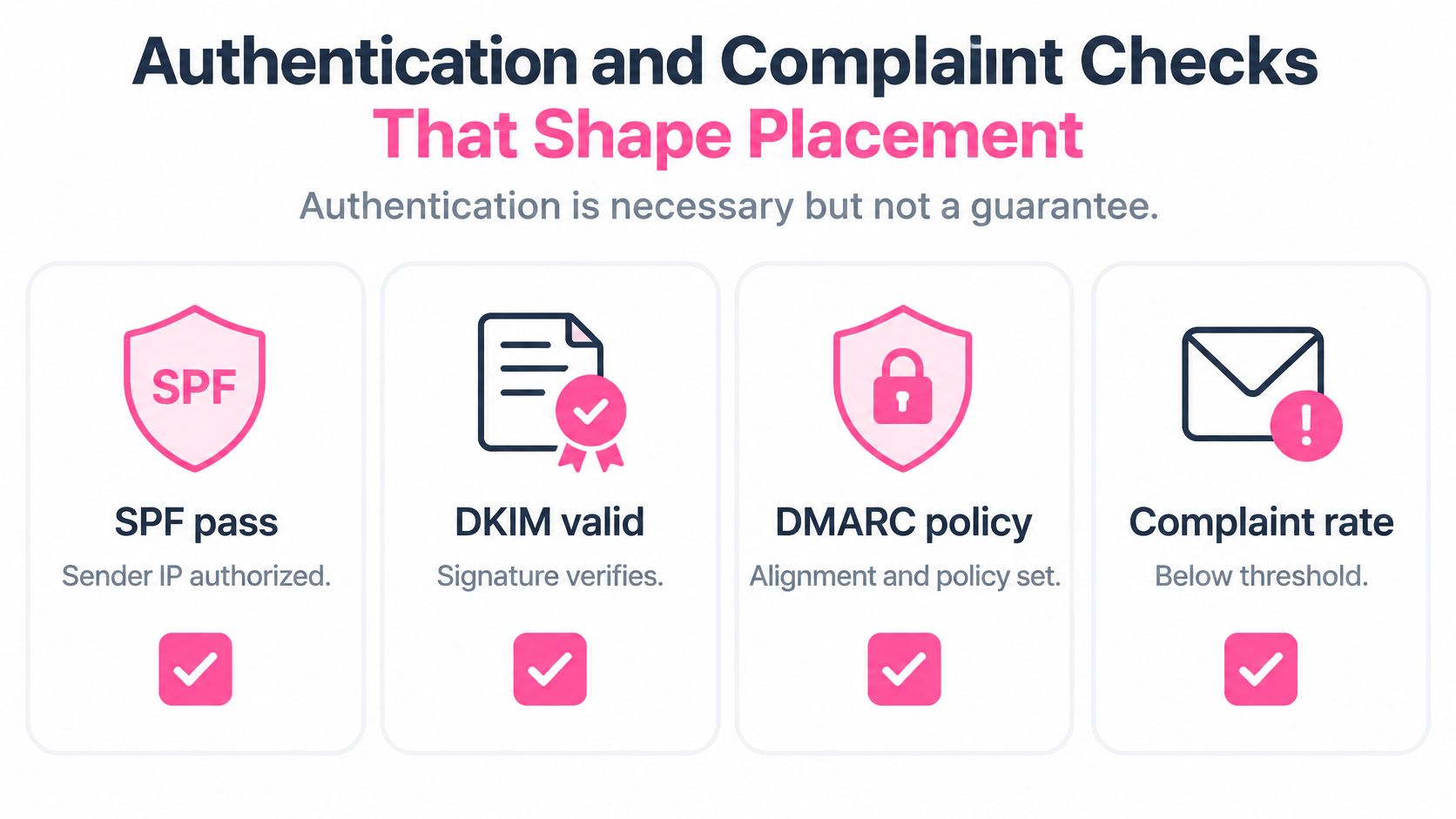
Authentication is a necessary control. It is not a placement guarantee. A clean technical pass can still share a spam folder with mail people reported.
Identity first, then the complaint trail
For each test message, open the Authentication-Results header and work down this list.
- SPF pass: The sending server is authorized for that domain.
- DKIM valid: The signature verifies, so the message wasn't altered in transit.
- DMARC and alignment: The authenticated domain lines up with the visible From domain, and a policy is set.
- Complaint rate: User-reported spam stays low enough that the provider doesn't treat the domain as a problem.
Google's email sender guidance names the failures that can trigger temporary or permanent failures or spam-folder placement: missing SPF and DKIM, From-domain misalignment, invalid forward or reverse DNS, missing TLS, and malformed RFC 5322 messages. Google also advises senders to keep user-reported spam rates below 0.1% and to prevent them from reaching 0.3% or higher. At or above 0.3%, delivery impact becomes more severe and mitigation may be unavailable.
Yahoo adds a header your seed message has to survive in the actual message, not just in a settings screen. Yahoo's sender best practices recommend a functioning List-Unsubscribe header that supports one-click opt-out for marketing and subscription mail, rather than only a link in the body. Bulk senders should watch the Complaint Feedback Loop and keep complaints below 0.3%. Yahoo bases that rate on mail delivered to the inbox, not on every attempt you made. Honor unsubscribe requests within two days. Receipts and password resets are treated differently from promotional mail, so don't test a receipt and assume a cold email will get the same folder.
Pair the seed folders with provider telemetry. Where you can, watch Gmail Postmaster Tools, write down complaint rates, and quarantine any domain or mailbox with high complaint rates before you add volume. A messy list makes those complaints show up faster, so a pass through a lead list cleaner belongs in the same prep as the header check.
A message can pass SPF, DKIM, and DMARC and still land in spam if recipients report it, or if the sending infrastructure already has a poor reputation.
Authentication tells the provider who you are. Low complaints and real engagement are what keep that identity welcome.
Benchmark Inbox Placement Rates by Mailbox Provider
A global deliverability benchmark cited in 2025 by Marketsplash reported that 87.2% of tested commercial emails reached the inbox, while 6.1% landed in spam and 6.6% were missing, deferred, or blocked. About 1 in 8 messages failed to reach the inbox, and the failure mode split between spam filtering and non-delivery. Those are not the same problem, so one delivered percentage hides both.
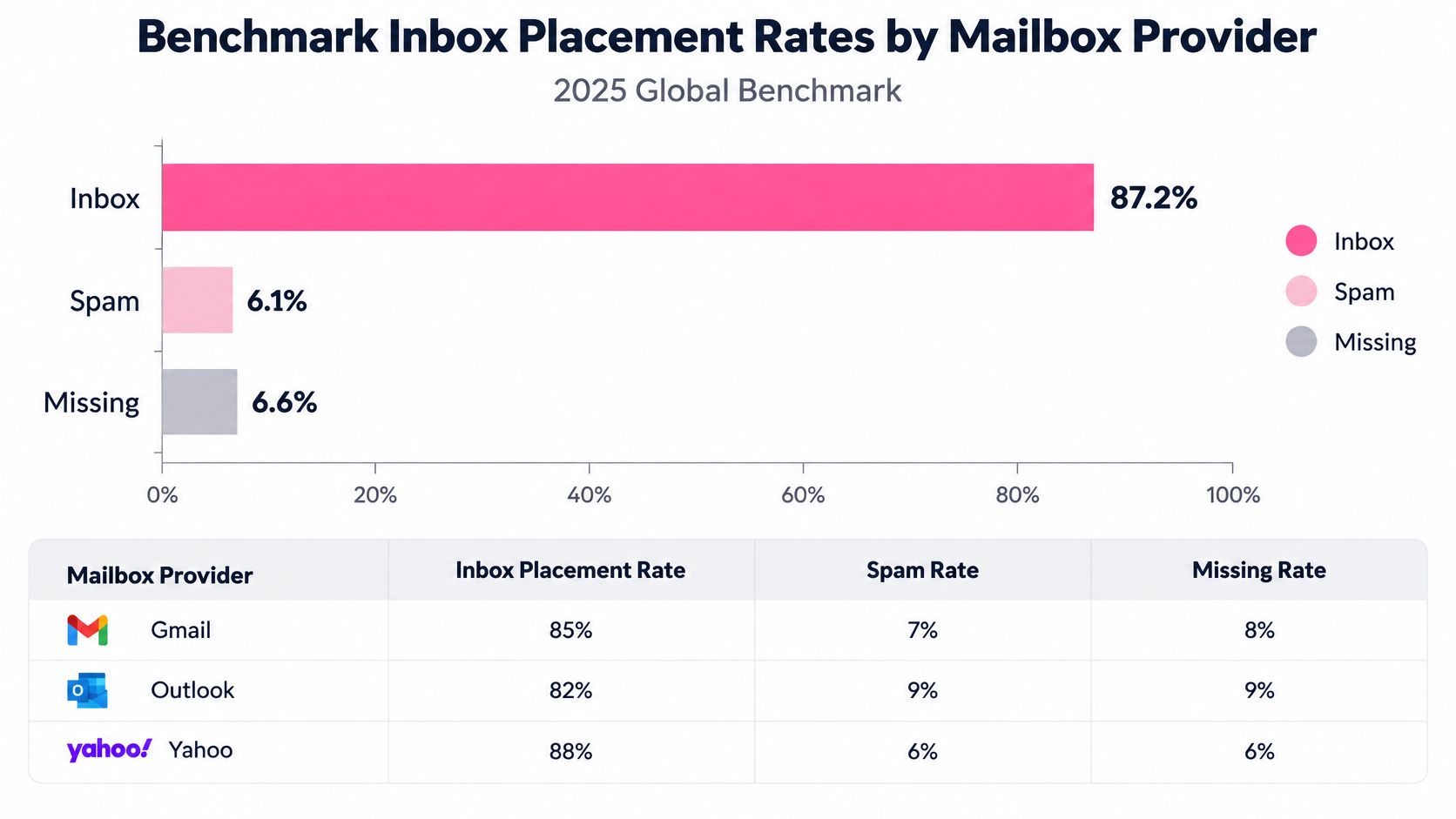
The average hides the weakest mailbox
That same broad 2025 context splits by provider and region. Gmail inbox placement was 89.8%, Yahoo 87.3%, Apple Mail 82.0%, and Microsoft/Outlook 77.4%. Europe averaged 91.1%, North America 86.7%, and Asia 86.4%.
| Segment | Inbox |
|---|---|
| Global benchmark, 2025 | 87.2% |
| Europe | 91.1% |
| North America | 86.7% |
| Asia | 86.4% |
| Gmail | 89.8% |
| Yahoo | 87.3% |
| Apple Mail | 82.0% |
| Microsoft Outlook | 77.4% |
Say your blended rate sits near that global figure while half your prospects live on Outlook. You're celebrating a number that already baked in a weaker mailbox. A campaign can look acceptable at one provider and limp at another, which is why a global average is a bad compass for outbound. Include the mailbox environments on the prospect list, and track inbox, spam, secondary tabs, and missing outcomes on their own rows.
Treat the table as a ballpark, not a pass mark. Benchmark methods don't all count the same events, and a strong aggregate still doesn't promise the same visibility in every market. Compare your own provider-level results with the row that matches your prospect mix. If Outlook is the row that pays the bills, Outlook is the number you manage, even when Gmail looks comfortable.
Reading Results and Diagnosing Placement Patterns
Start from the folder, not the delivery log. A provider can accept a message and still filter it into spam. Seed accounts also have limits: a handful of quiet mailboxes won't behave like your real mix of regions, job titles, and engagement history.
Benchmarks don't even agree on the headline, because they measure different things. Statistics Global's email deliverability figures put one testing dataset at only 63% reaching the actual inbox, and a separate independent benchmark at 83.1% across 15 email service providers. Trust a result when it's split by mailbox provider, geography, sending domain, authentication state, and message type. A pass on a tiny or unrepresentative seed set is false confidence, and it will talk you into scaling a segment that's already failing.
Five shapes and what to do next
| Pattern | Likely cause | Next action |
|---|---|---|
| One provider low, others healthy | Localized reputation or policy issue at that provider | Pause volume to that provider's segment and check its complaint data |
| All providers low together | Domain, content, authentication or list quality | Audit DNS records and copy, then cut the list to verified contacts |
| Inbox rate falling day over day | Complaints or disengagement building | Lower volume to unengaged recipients and retest the next day |
| Spam or missing rising, inbox flat | Filtering triggered by links, images or sending volume | Simplify the message, reduce links and slow the ramp |
| Strong on one day, weak on repeat | Single-window luck or too few seeds | Repeat across several days with a larger seed set |
Set the pause rule before you send the test. A workable floor is to halt a provider segment after two consecutive test days below the placement level you chose. One bad afternoon doesn't get to rewrite the campaign, and one lucky morning doesn't get to green-light a ramp.
Live signals belong next to the seeds: bounces, deferrals, complaints, replies, and provider-specific placement. A cold email grader can flag copy problems, but it doesn't replace the folder log. Read the shape, then change one thing and run the seeds again.
A Worked Example From a B2B Outbound Test
This walkthrough is illustrative, not a published case. A B2B agency tests one cold-email variant against a 60-address seed set over three days. Same subject, same links, same sending domain, logged with the mailbox and the timestamp.
On day one the folders read Gmail 92%, Yahoo 88%, Apple Mail 80%, and Outlook 54%. Authentication headers all pass. Complaint rates are still in the safe band. The shape matches one weak provider, not a broken domain. A blended score would have averaged that Outlook miss into something that looked respectable and wrong.
What the team changed
They pause the Outlook-heavy segments, check Microsoft-side reputation, and pull two links out of the variant. They don't touch the Gmail volume, because Gmail wasn't the sick patient. The next sends stay inside the same controlled window so a recovery, or another drop, can be tied to that edit.
| Day | Apple Mail |
|---|---|
| Day 1 | 80% |
| Day 3 | 80% |
By day three Outlook has recovered to 71%, and no provider-wide decline shows up. Apple Mail is still at 80%, which is why that column doesn't move. The next ramp goes in steps, so if placement slips they can tie it to one increment instead of a full-volume jump.
The decision came from the segment-level Outlook number, not from a total that hid it. Before you scale a similar test, run the missed-inbox math through a cold email ROI calculator so a pretty average doesn't talk you into buying more volume for a mailbox that isn't showing the mail.
Confirm Your Placement Before You Scale Your Next Campaign
Before you add volume, run a seed-based inbox placement test on each sending domain and mailbox pool. Log the folders by provider. Write the pause rule down first, so a bad afternoon has a pre-agreed consequence.
Confirm the basics before any new volume: authentication headers in order, complaint rates in the safe band, and a functioning List-Unsubscribe header. Then use an outbound volume planner so the ramp matches what the seeds just showed, not what the calendar hopes for.
You can run that in-house, with a DIY stack, or hand the sending to a managed team. We're pay-per-close at Ever Outbound, so payment is tied to deals that close rather than to the test itself. We write and send short, specific copy on warmed domains so emails land in the inbox.
Three items for the next run: the same message across every seed, a provider mix that matches the prospect list, and a repeat across several days.
Ever Outbound Inc. runs done-for-you B2B outbound for agencies, SaaS teams, and service firms, with inbox placement treated as part of the sending system rather than a last-minute surprise. You pay a 5% commission only when a deal closes from that work, and the first two closes are commission-free. If you want the list, the copy, the warmed domains, and the booked calls handled together, visit Ever Outbound Inc..