October 23, 2026
How to Clean an Email List Without Wasting Sends
Plan on roughly 23% of a B2B contact file going stale every year. Nobody publishes an official decay rate, so treat that as a working estimate for a database nobody touches. On 10,000 rows, that pace leaves about 2,300 addresses you cannot safely mail by month twelve. Learning how to clean an email list means treating that loss as continuous suppression and permission governance, with CAN-SPAM still applying to every campaign you send. One scrub before a big send fixes nothing about the quarter after.
Table of Contents
- Why a Clean Email List Does Not Stay Clean
- Build a Cleaning Cycle You Can Repeat
- Sunset Cold Contacts Instead of Deleting Them
- Keep Permission and Complaints in the Cleanup
- Pick a Hygiene Model Before the Next Upload
- Send the Next Campaign from a Safer List
Why a Clean Email List Does Not Stay Clean
Start with a database that looked fine on import day. Ten thousand rows, names filled in, no obvious typos. Twelve months later, about 2,300 of those addresses are invalid or risky if the file just sat there. People changed jobs. Domains expired. Mailboxes were abandoned. An old CSV from a conference never got a second look.
That is the everyday rot outbound teams already live with. Dead and risky addresses burn sending capacity you could have used on people who can still reply. They also hand mailbox providers an easy reason to distrust the domain. I have watched a "quick scrub" do the opposite of hygiene: someone deleted the obvious bounces, reloaded last year's export, and mailed the mess again. The domain paid for it.
Treat decay as a planning number
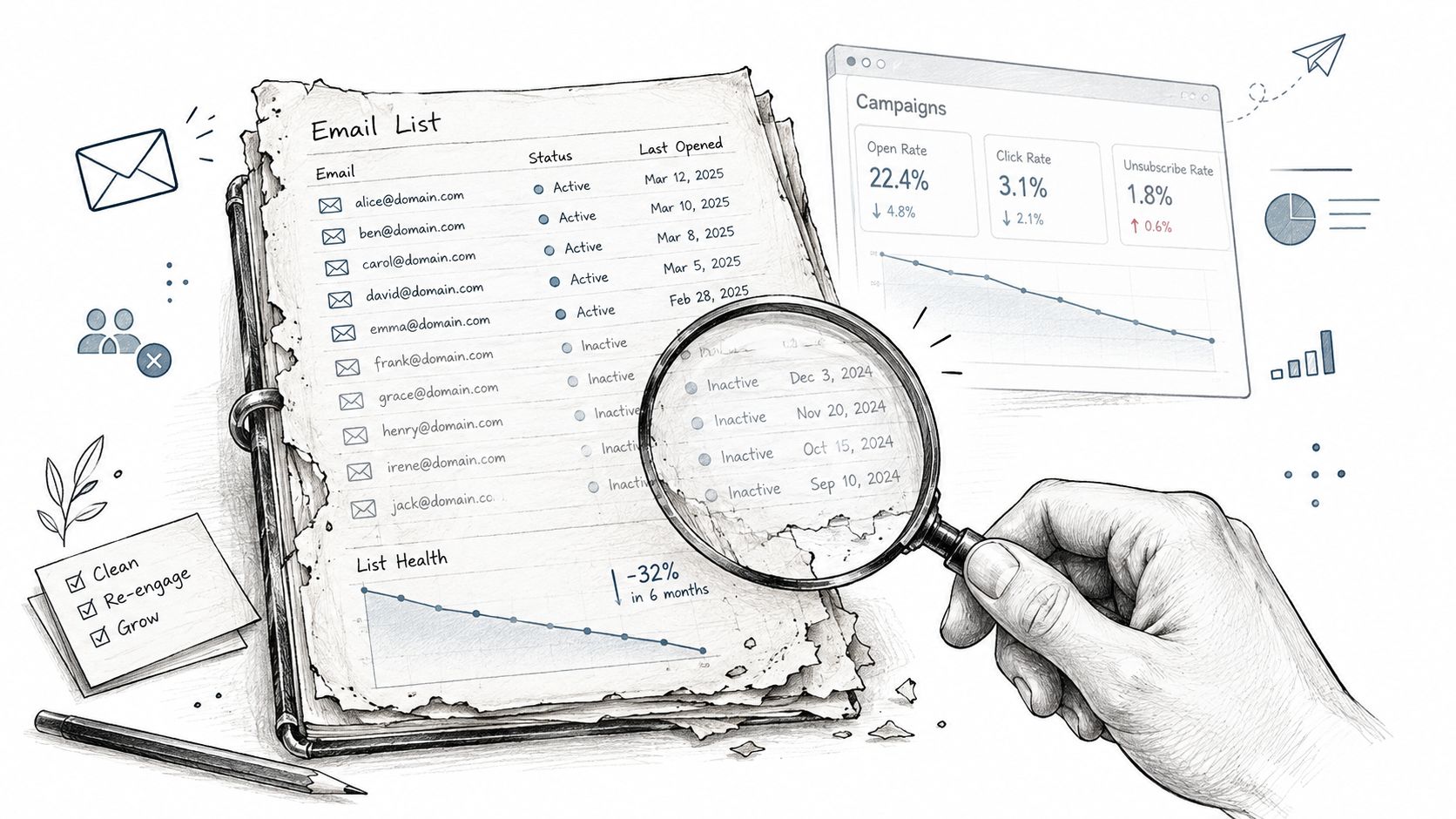
23% is a useful assumption for how much of a database will need replacement or verification each year. It is not a law. Real decay still moves with industry, geography, how you acquired the contact, and seniority. A founder list and a scraped intern list do not age the same way.
Cleaning is a recurring job, not an import chore.
For a clear picture of what a scrub is supposed to catch before you start cutting rows, email list hygiene explained by BatchData is a useful companion to the calendar below.
Quarterly review: A reasonable floor for an active B2B database.
Tighter cycles: What high-volume senders need, because they create more bounce and complaint evidence, faster.
Intake checks: New contacts get verified when they enter, not after the first blast.
Old records: Stay unverified until someone revalidates them. Age is not a character reference.
If you only clean when open rates collapse, you are already late. Build the review into the quarter, then decide who is still worth a send.
Build a Cleaning Cycle You Can Repeat
A one-time export is not a system. The loop has four jobs: catch junk at capture, verify before a big send, suppress failures immediately, and watch the file between campaigns.
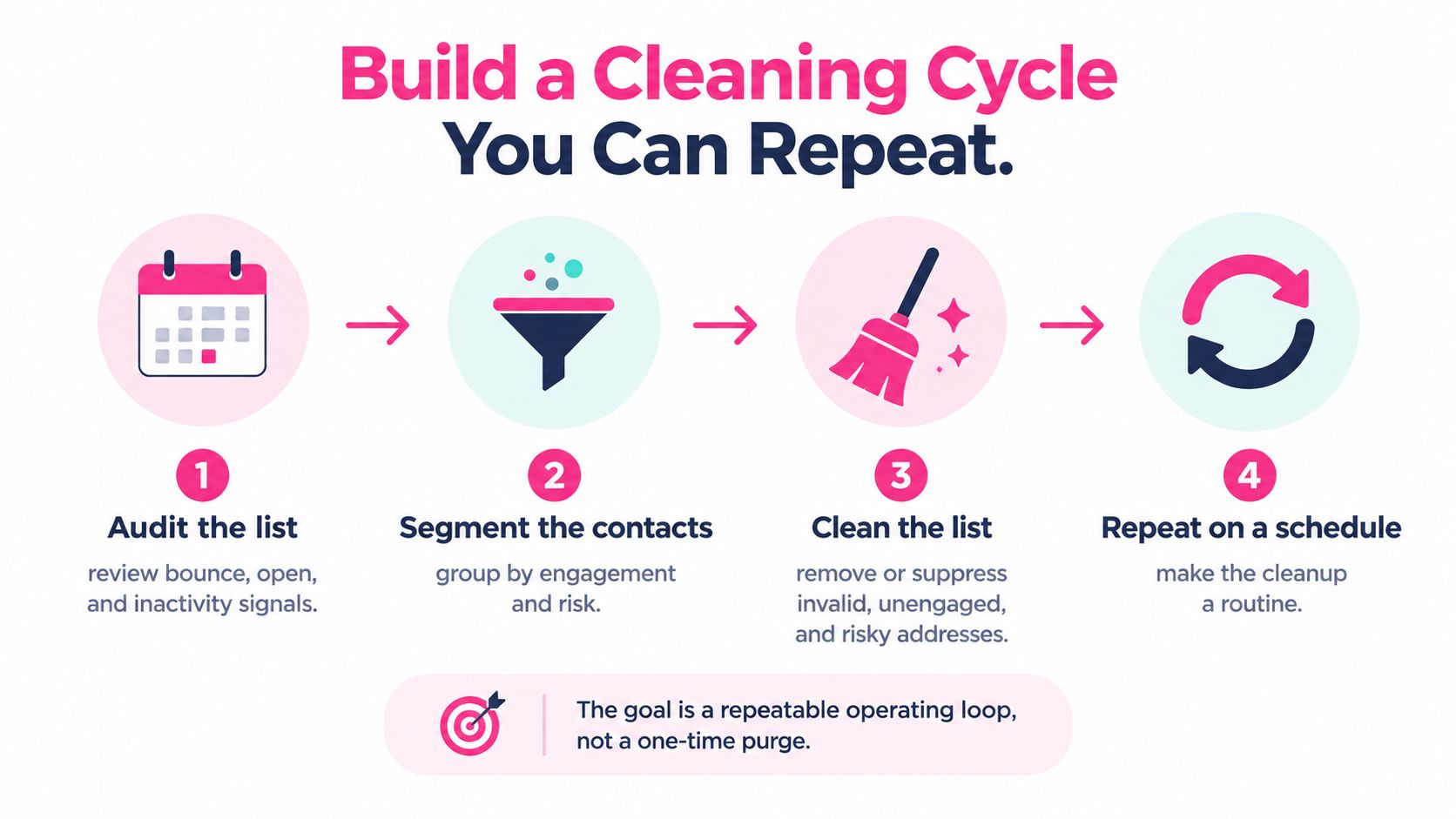
At capture, check syntax, domain and MX records, mailbox status, disposable domains, and role addresses such as admin@ or support@. On permission-based lists, use double opt-in. A pretty address is not a live mailbox, and a role account needs a real business reason or it stays out.
Before a major campaign, run a bulk verification pass, dedupe, and split contacts by engagement. Do that on the file you are about to mail, not on a copy from last quarter that someone "cleaned once."
What to suppress, and when
Hard bounces: Kill them immediately. These are the typical 5xx "unknown user" responses. Mailing them again is a reputation gift to nobody.
Soft bounces: Watch them. Suppress after a stated threshold, such as three failures in a row. One full inbox is weather. Three in a row is a pattern.
Quiet contacts: Send a short re-permission note, then suppress nonresponders after 90 to 180 days without meaningful engagement. That window is a starting band, not a religion. The next section is where it breaks.
The practical cycle, in one pass: real-time checks at signup, continuous bounce suppression, a quarterly engagement review, and another validation pass before unusually large sends. Email list hygiene guidance from Abstract is the reference I use for that control set.
Pause any source above 1–2% hard bounces and investigate before you send more of it. Keep spam complaints under 0.1%, and well clear of 0.3%. Opens alone lie. Bought or scraped lists do not belong in the file, no matter how cheap the rows looked.
If you want the bounce logic in motion rather than in a doc, this walkthrough is the one I send operators:
Stop mailing a source the moment it crosses that hard-bounce line. Curiosity is how domains get wrecked.
Sunset Cold Contacts Instead of Deleting Them
Silence is not a dead address, and it is not a withdrawn permission. Most guides still preach one cutoff, often 90 or 180 days, then a delete. That shortcut ignores how often you send, how long the buy takes, and the gap between an unopened email and a person who has left.
A quarterly newsletter can justify a 9–12 month inactivity window. A daily sender can reasonably use 3–6 months, because those people had many more chances to respond. Copying one company-wide date onto both lists throws away revenue on one side and annoys people on the other.
A sunset that matches the motion
Isolate the quiet segment. Cut their frequency. Send a preference or reconfirmation message. Only then suppress people who still do not respond. That is a behavior-based sunset, not a purge.
B2B makes the case ugly and obvious. A founder can ignore three emails and still be a real opportunity. The purchase cycle is long. A colleague forwards the note. The next real touch is a meeting, not a click. I have seen teams sunset a buyer who was already on a calendar hold because the email "didn't open."
Open rate is a bad sole judge. Privacy tools and mail clients distort opens. Courier's sender-requirements notes line up with what operators see in the logs: combine clicks, replies, site visits, conversions, complaints, bounces, and actual sales activity. One green open does not keep someone. One missing open does not exile them.
Aggressive deletion shrinks the list and can also shrink future pipeline.
Write a segment-specific suppression policy. A universal cutoff is how you look decisive and lose the deal that was never going to click a newsletter. Keep data only for a defined purpose. Keep the suppression record anyway, so an unsubscribed person is not loaded again by the next helpful upload.
Keep Permission and Complaints in the Cleanup
A deliverable address can still be illegal to mail, or poisonous to your sender reputation. Deliverability cleaning checks syntax, domain, and mailbox status. Permission cleaning records who opted in, who asked to be left alone, and who keeps hitting the spam button. An address can pass every technical check and still be prohibited. Run both audits or the "clean" label means nothing.
A spotless bounce report does not equal consent.
Clocks you can audit
The FTC's CAN-SPAM compliance guide sets the federal clocks: a clear opt-out in every commercial message, honored within 10 business days, the mechanism still working 30 days after the send, and requests that never expire unless the person opts back in. Process reply-based unsubscribe requests too, because plenty of recipients skip the link and type "remove me." A spreadsheet that one marketer edits by hand is easy to break and hard to defend in an audit.
Since February 2024, Google's sender rules have required senders pushing roughly 5,000 or more messages a day to Gmail accounts to authenticate, hold spam rates under 0.10%, and make unsubscribing easy. Real trouble starts at 0.30%, complaints are calculated daily in Postmaster Tools, and mitigation eligibility returns only after the rate stays under 0.3% for seven consecutive days. Treat 0.3% as a ceiling. Stay well under it.
Yahoo's sender guidance applies the same 0.3% spam ceiling and tells you to honor unsubscribes within two days. Gmail and Yahoo list-unsubscribe requirements extend that to one-click unsubscribe on covered marketing and subscribed messages. Two days is faster than any quarterly scrub cycle, which is the point: permission governance runs every day, not when someone finally exports the CSV.
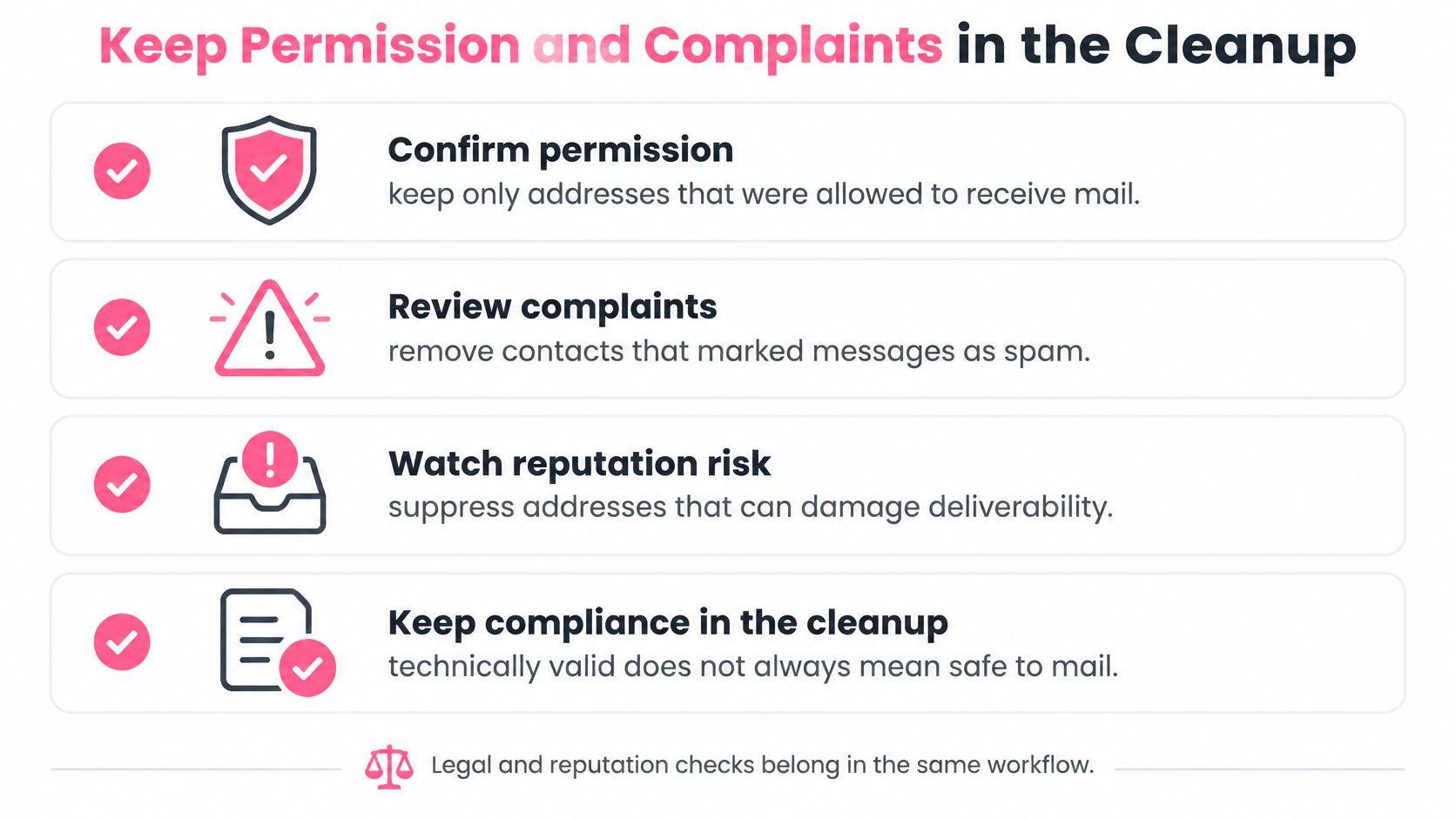
The gap that wrecks "clean" files is re-entry. Deleted and unsubscribed people come back through CRM syncs, enrichment tools, and fresh imports unless suppression is global and checked on every upload. Purple's guide on how to keep venue marketing lists clean shows why that suppression list has to outlive any single campaign. Complaints are the harshest signal in the file. A suppressed complainer who gets re-imported will complain again, and the mailbox provider keeps score.
Before the next cold sequence, run the copy and list assumptions through a cold email grader. If the complaint math already looks ugly, hold the send.
Pick a Hygiene Model Before the Next Upload
The scrub is the easy part. Deciding who owns hygiene, and who can stop a send, is where files rot. Whatever model you pick, judge it on the same scoreboard: hard-bounce rate, unknown-user rate, complaints, failures by domain, clicks or replies, and the share inactive for 90 or 180 days. Bounce-rate and suspension-risk guidance draws the thresholds I hold teams to: under 0.5% hard bounces is the commonly cited target, above 2% needs remediation before the next send, and above 5% is serious list-quality risk. The 1–2% band from the cleaning cycle is already "stop and look," not "send the rest and hope."
Two habits survive every model. Keep an audit trail: the original source and the consent timestamp for every row, so a disputed address has an answer. And stay skeptical of your own file. One verification pass is not a clean bill of health. People change jobs, domains expire, mailboxes get abandoned.
Baseline each acquisition source so you can name the one feeding you complaints. Hygiene done right is permission governance on a schedule, and the model below is just a decision about who runs it.
How to Choose a List Hygiene Model
| Model | What it cleans | What it usually misses | Fit |
|---|---|---|---|
| In-house routine | Bounces you already see, unsubscribes your tool records, a quarterly pass your team remembers | Re-imports from the CRM, consent gaps, domain warmup, the send that happens while you are in a QBR | Teams that already own research, copy, and a person who will stop a bad source |
| Verifier CSV upload | Syntax, dead mailboxes, many disposables and duplicates on the file you uploaded | Permission, complaint rate, one-click unsubscribe, and the next sync that puts the bad rows back | A known, permissioned list ahead of one large send |
| Managed outbound | Verified B2B lists, domain setup, warmup, and deliverability monitoring inside the booking motion | Nothing you still have to mail yourself, because you are not the sender | Teams that want research, inbox, and follow-up in one place |
Ever Outbound is the managed column, and the pricing is pay-per-close: 5% commission when a deal closes from the work, first two closes commission-free, plans from $97 a month. That covers human research and verified lead lists, domain setup, warmup, and deliverability monitoring, plus a client platform for campaigns, replies, and bookings. Retainer agencies get paid whether meetings happen or not. Pick the verifier when the list is yours, the permission is real, and someone will enforce suppression every week. It is the wrong tool when inbox, list, and follow-up belong with one team.
Still deciding volume before you pick an owner? The outbound volume planner shows how fast a dirty file burns through send capacity.
Send the Next Campaign from a Safer List
A cleaned list buys you one good send. After that, decay starts again, so the go or no-go call runs through a gate every time, ideally with the same person holding the keys.
Revalidation: An old file or a large send gets checked again. Recently added contacts were verified at intake. Older rows do not get waved through on seniority.
Hard bounces: Already suppressed, and they stay suppressed for this campaign.
Soft bounces: Repeat failures have hit the three-failure rule and sit out this send.
Unsubscribes: Link clicks and reply requests live on a global suppression list, and every upload is checked against it before anyone hits send.
Unsubscribe path: Still working, and tested before this send. Bulk Gmail and Yahoo mail gets honored inside two days. CAN-SPAM allows 10 business days, and running close to that line is how senders end up in a deliverability thread they never wanted.
Complaints: Held to the 0.1% operating goal, with 0.3% as the hard ceiling. Google's sender requirements only restore mitigation eligibility after seven consecutive days under 0.3%, which is why waiting to clean until after a spike is an expensive hobby.
Test the verified slice before you activate the full list. Then stop optimizing for how many rows remain. A smaller list that lands is worth more than a bloated one that trains filters to distrust the domain. Guides like email deliverability tips for Shopify brands make the same trade in a different vertical: inbox placement beats list vanity.
If you keep sending in-house, put the quarterly review and the suppression sync on the calendar before the next upload, and run the domain through an email deliverability checker ahead of it. Complaint spikes are a lagging indicator. By the time they show up, the grading is already done.
If you would rather have one team own research, copy, warmup, and booking, the managed option covered earlier runs the whole motion pay-per-close, and you show up to the calls.
Ever Outbound Inc. runs done-for-you B2B client acquisition for teams tired of scrubbing a list and then burning the domain on it. Pay-per-close ties the work to deals you close, with list quality, warmup, and booking handled in one motion. If that sounds like the cleaner way to fill the calendar, reach out to Ever Outbound Inc.